Zero Tech Skills Needed: Save Time & Money By Live Editing Your Podcast-$35/hr - creative services
Photos
8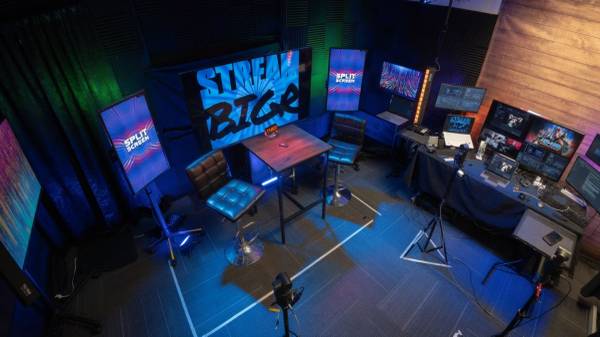
Listing Details
Zero Tech Skills Needed: Save Time & Money By Live Editing Your Podcast — $35/hr
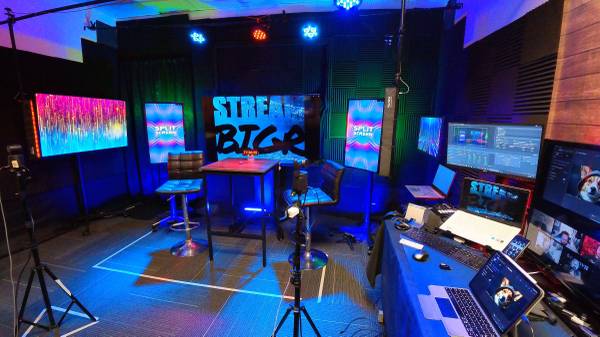
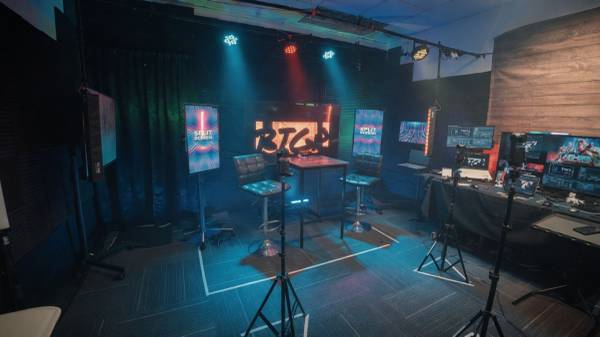
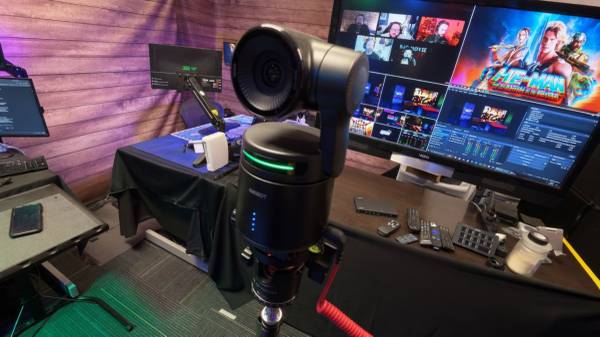
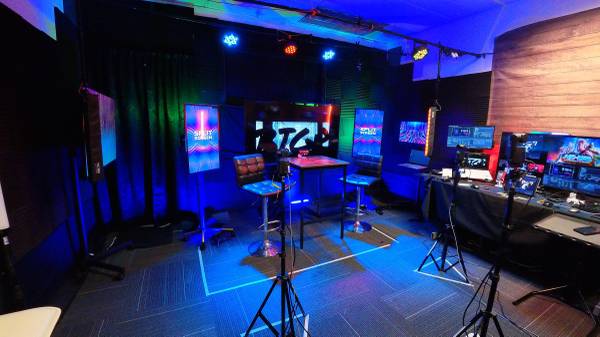
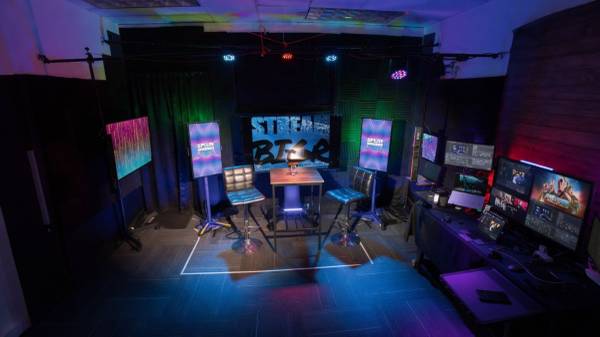
I’m an independent video producer, and I built a practical, fully equipped 3-camera video podcast studio in my Mission Valley office space to shoot my own channels.
When I’m not using the space for my own productions, I rent it out to other local creators for a flat $35 an hour. There are no hidden fees or surprise engineering charges—it just is what it is.
You don’t need any technical skills to use the space. I handle 100% of the tech, the capturing, the lighting, and the audio from the control chair so you can focus entirely on your podcast and your content.
You don’t need to buy expensive gear or worry about how to run it. You just show up, sit down, and do your show.
How the Live Switching Saves You Time & Money
Most traditional studios just hit record and hand you three separate, unedited camera files at the end, leaving you to spend days cutting it together or paying a fortune to an editor.
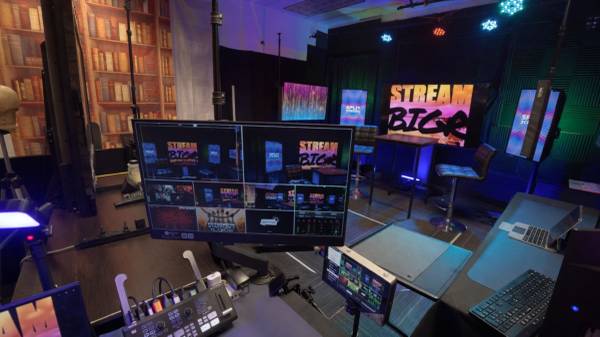
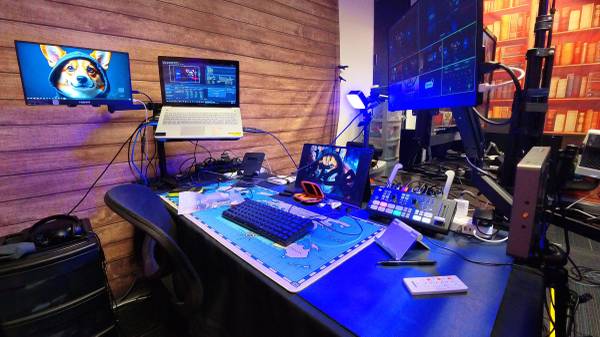
Instead, I plug the cameras into a hardware video switcher and cut between the angles live while you talk. It records straight to a finished MP4 file. Because the bulk of the camera editing is done in real time, you save massive time and money. To make sure you leave with the best possible sound needed for your podcast, I go ahead and do the post-audio enhancement myself before sending the file over to you.
Choose Your Workflow
***The Live-Switched MP4:** This is the ultimate time-saver.
I run the cuts live, handle the post-audio enhancement so it sounds great, and you walk away with a finished product. We can also overlay your logos or lower-third graphics onto the screen while we film.
***Individual 4K ISOs:**
If you already have your own editor or prefer to do a heavy edit yourself later, we can skip the live switching and record each camera angle independently in pristine 4K.
What’s Inside the Studio
***Visual Setup:** A clean table and stool layout that accommodates 1 to 4 people comfortably. The studio has dedicated lights to keep you and your guests properly lit, plus background monitors set up to display your logo or custom show graphics.
***Pro Audio:** You have your choice of high-quality wired XLR microphones or wireless mics for convenience.
* **Laptop Input:**
You can feed your laptop straight into the video switcher as an active angle if you want to share a presentation, look at a website, or show visual materials during your podcast.
***File Delivery:**
The second we wrap up, I can drop the files right into your Google Drive or save them directly onto your external flash drive on the spot. There are no hidden file-transfer fees.
Optional Post Services
If you want to take your show a step further but don't have the time, I also offer post-production add-on services like deeper video editing, custom YouTube thumbnails, extra graphic design, and vertical social clips (Shorts/Reels/TikTok) to help grow your audience.
The rate is a flat $35/hour for the room, the gear, and me helping you run the tech.
If you want to come check out the layout, look around, and talk about your project, shoot me a message and we can schedule a quick walkthrough.
**Keywords:** Video Podcast Studio, YouTube Studio, Podcast Production, Affordable Video Studio, Time Saving Studio, No Tech Skills Needed, 3-Camera Production, 4K ISO Capture, Live Video Switcher, Podcast Editing, Patreon Video, YouTube Thumbnails, Graphic Design, Audio Enhancement, Audio Repair, Video Editing, Social Media Clips, Reels, Shorts, TikTok, Mission Valley, San Diego Video.
Coupons and Offers
Customer Reviews


Write a Review
Login required to review. Login
